Accounts & Contacts
Accounts & Contacts is the master record of everyone you do business with — the single place where a company's identity, addresses, tax details and defaults live.
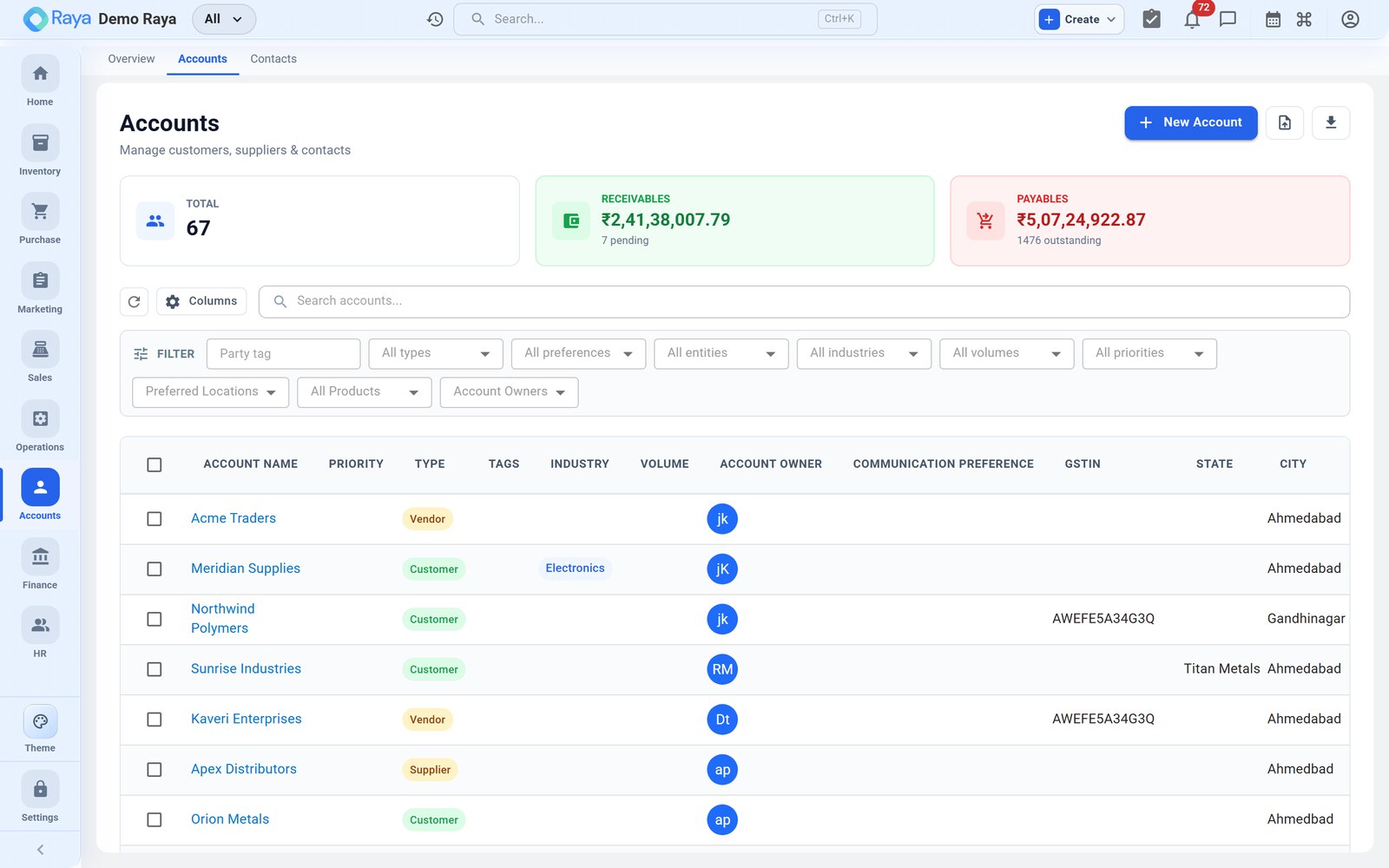
The party master
Every business you sell to, buy from, or both is an Account — Raya's party master. One account can act as a Customer, a Supplier, or both at once, so the same company is entered only once and appears on your sales and your purchases. Each account carries many contacts (the people you deal with) and many addresses (billing, shipping, office, warehouse).
The type you choose — Customer, Supplier, Customer & Supplier, Distributor, Reseller, Agent and more — controls where the account shows up. A Supplier is selectable on purchase orders; a Customer on sales orders and quotations.
:::tip Start broad, narrow later Pick a general type such as Customer or Supplier when you create the account. You can re-classify it at any time as the relationship grows. :::
For the full concept — roles, GST treatment, statutory flags and how party defaults flow onto documents — see Parties — customers & vendors.
What you can do
- Maintain accounts with identity, addresses, tax IDs (GSTIN/PAN) and internal ownership.
- Set financial defaults — currency, payment terms, credit limit — that pre‑fill on new orders and invoices.
- Keep several contacts per account, with one marked primary.
- Map customer‑specific product codes so their SKUs print on your documents.
- View each account's Statement of Account (opening balance, transactions, running balance and ageing) from Finance.
Sub‑pages
| Sub‑tab | What it's for |
|---|---|
| Overview | This page — the party master and quick links. |
| Accounts | Create, edit and search accounts (customers & suppliers). |
| Contacts | The people at each account, including the primary contact. |
Within an open account you'll also find tabs for Product Codes (customer SKU mappings) and the Statement of Account.
Related
- Parties — customers & vendors — the underlying concept.
- Finance — party ledgers, outstanding and statements.
- Sales — where customer defaults flow onto orders and invoices.