Managing Accounts
Accounts → Accounts is the party master — every customer and supplier record, with the identity, tax and financial details that drive your documents.
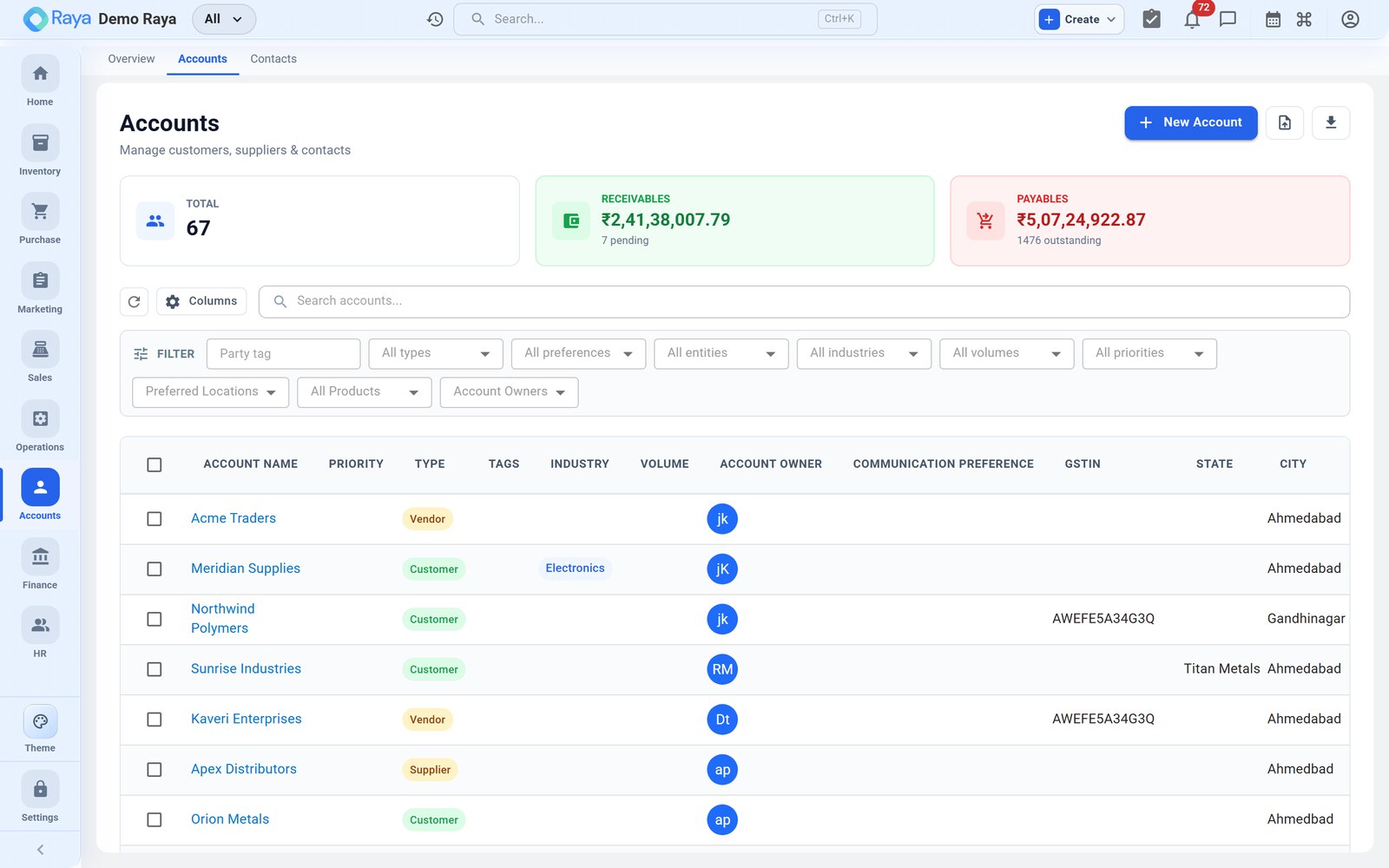
Find accounts fast
- Search by name, tax ID or owner across every account.
- Filter by type (Customer, Supplier, both…), status and account owner.
- Open any row to see its contacts, addresses, product codes and statement.
Create an account
- Click + New Account at the top of the list.
- Enter the account name and pick a type (Customer, Supplier, Customer & Supplier, Distributor, and so on).
- Fill in the field groups below.
- Save — the account is now selectable on orders, quotations and purchase orders that match its type.
Field groups
| Group | What to enter |
|---|---|
| Identity | Account name, type, parent account (for group hierarchies), tags and account owner. |
| Contact details | Primary phone, email and website. |
| Addresses | Multiple addresses — Billing, Shipping, Office, Warehouse — each with line 1/2, city, state, country and pincode. |
| Tax & legal | GSTIN, PAN, CIN and VAT number. |
| Financial defaults | Default currency, credit limit, payment terms (Net 0/15/30/45/60), credit period and opening balance. |
| Bank details | Account number, IFSC, bank name and branch. |
| Internal | Owner (sales rep), tags and notes. |
GSTIN auto-lookup (India)
Type a 15‑character GSTIN and click lookup. Raya queries the GST portal and pre‑fills the legal and trade name, registered address, state of registration and filing status — so you don't retype details or introduce typos.
:::tip Verify before you invoice Running the lookup confirms the GSTIN is valid and active, which keeps your GST‑compliant invoices and e‑invoices clean. :::
Defaults that flow onto documents
The financial and tax details you set here become the starting values on new documents for that account:
- Payment terms and credit period pre‑fill on sales orders and invoices.
- Default currency sets the document currency.
- Billing and shipping addresses populate the order automatically (you can still switch to another saved address on the document).
- GSTIN and place of supply drive the CGST/SGST vs IGST split.
Credit limits
Set a credit limit to cap how much a customer can owe at once. The limit is checked against the account's outstanding balance so your team is warned before exposure grows too large.
Statutory flags
Flags on the account tell Raya how to handle compliance and reporting:
- MSME / Udyam — marks a supplier under the MSME payment rules.
- SEZ / LUT — for supplies to Special Economic Zones or under a Letter of Undertaking (affects GST treatment).
- Related party — flags intercompany or associated entities for disclosure.
The account's country also drives import/export handling on documents.
Customer-specific product codes
If a customer refers to your product by their own SKU, open the account's Product Codes tab and add a mapping — your product → their code → their description. These print on that customer's invoices and packing slips automatically.
Related
- Parties — customers & vendors — roles, tax treatment and statutory flags explained.
- Contacts — add the people at each account.
- Finance — the account's ledger, outstanding and statement.
- Sales — where these defaults appear on orders and invoices.