HR & Payroll
HR & Payroll keeps your people records, attendance, leave and monthly pay in one place — from the employee master through to payslips with Indian statutory deductions. This page introduces the module and walks the end‑to‑end monthly cycle using one worked example we carry through every page in this section.
Meet our worked example — R. Mehta
Across these pages you'll follow a single new hire so the numbers stay consistent:
| Employee | R. Mehta |
| Department | Production (Pune, Maharashtra) |
| Date of joining | 1 July 2026 |
| Monthly CTC (gross) | ₹30,000 — Basic ₹15,000 + HRA ₹6,000 + Allowances ₹9,000 |
| August 2026 events | 1 day loss of pay, 2 days approved casual leave |
By the end of the cycle we run August 2026 payroll for R. Mehta and land on a net pay of ₹27,000. Every intermediate figure is shown on the relevant page.
What you can do
- Maintain an employee master with personal details, contacts, statutory IDs (Aadhaar, PAN, UAN, ESI), bank details, department, designation and salary grade.
- Track attendance with web/app punch‑in/out, GPS geo‑location and auto‑calculated hours worked, plus overtime.
- Run leave end‑to‑end: leave types, accrual, balances, half‑days, carry‑forward, encashment and manager approvals.
- Process monthly payroll into payslips that break earnings and deductions (PF, ESI, Professional Tax, TDS, LOP) and add overtime.
- Reimburse staff through expense claims with an approval step.
- Configure holidays and shifts, and let employees use the self‑service portal to view profiles, apply for leave and download payslips.
- Allocate employee costs to cost centres (departments) for reporting.
Sub‑pages
| Sub‑tab | What it's for |
|---|---|
| Overview | HR KPIs and the monthly cycle (this page) |
| Employees | The employee master — profiles, IDs, salary structure |
| Attendance | Punch‑in/out, geo‑location, hours, overtime |
| Leave | Leave types, balances, applications and approvals |
| Payroll | Monthly pay runs and payslips |
| Expense Claims | Employee reimbursements |
| Holidays & Shifts | Public holidays and work shifts |
The HR dashboard
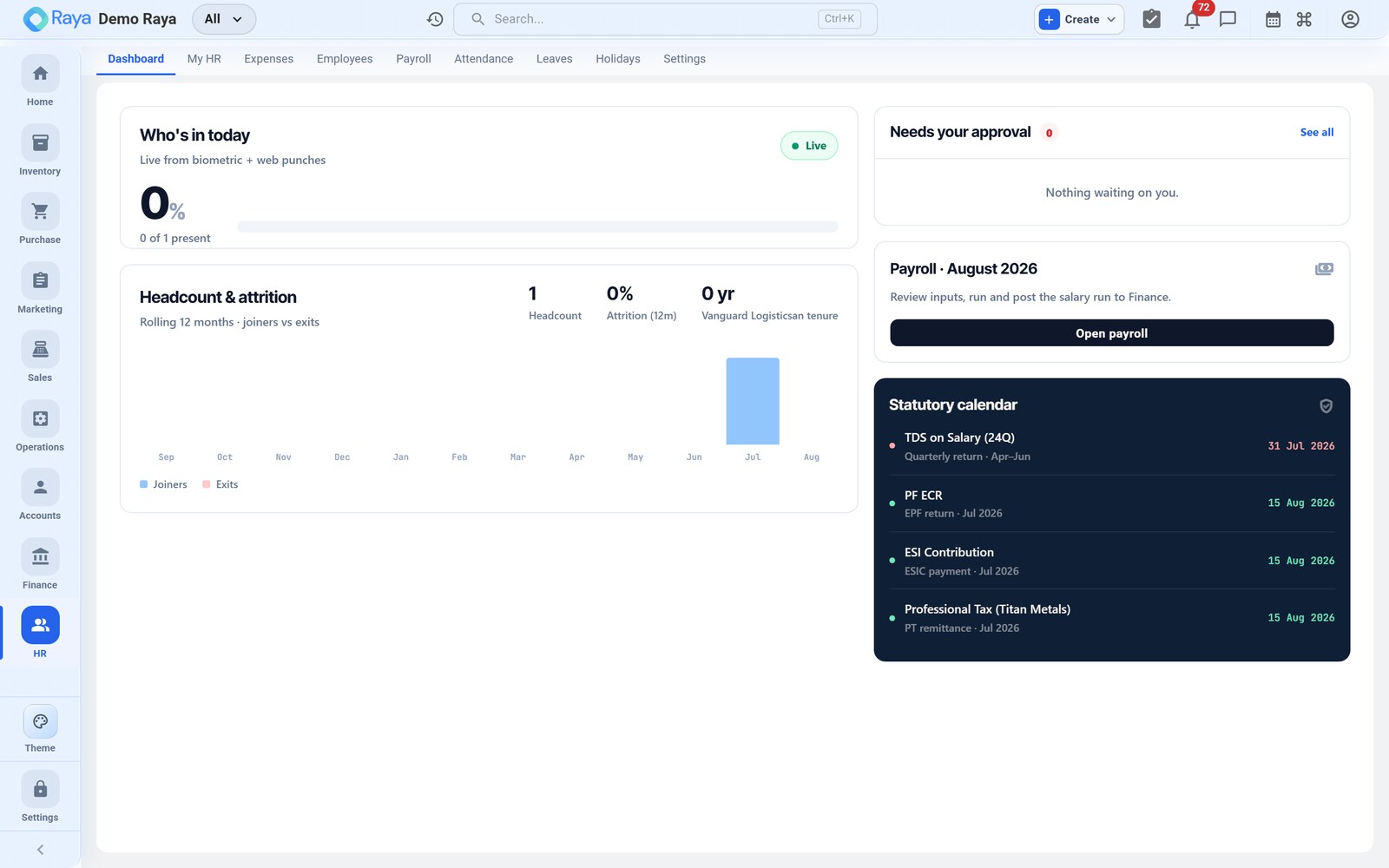
The dashboard summarises headcount, who's on leave today, pending leave requests and department‑wise head counts, with quick links into each area. It's the fastest way to spot a leave request waiting on you or an attendance gap before the payroll run.
The end‑to‑end monthly cycle
A full month for R. Mehta touches five of the sub‑pages in order. Each step links to the page where it's worked in detail.
-
Onboard the employee — create R. Mehta's record: personal details, statutory IDs, employment (Production dept, Pune location) and a salary structure of ₹30,000 (Basic ₹15,000 + HRA ₹6,000 + Allowances ₹9,000). See Employees.
-
Set the working calendar — the holiday calendar marks 15 Aug (Independence Day) as a public holiday, and a General shift (09:00–18:00) sets the expected hours attendance is measured against.
-
Capture attendance — punches build R. Mehta's August record. He is present most days, but is absent on 6 Aug with no leave balance left → 1 day loss of pay (LOP). See Attendance.
-
Apply and approve leave — R. Mehta applies for 2 days casual leave (20–21 Aug); his manager approves. Casual leave is paid, so it does not reduce pay. See Leave.
-
Run payroll and issue the payslip — the payroll run pulls the salary structure, attendance and leave for August, computes PF, Professional Tax and the LOP deduction, and produces the payslip:
Gross earnings ₹30,000 Less: LOP (1 day) −₹1,000 Less: PF (12% of basic) −₹1,800 Less: Professional Tax −₹200 Net pay ₹27,000
Separately, employees can raise expense claims for work costs, which follow their own approval step.
:::tip Where the numbers come from Nothing on the payslip is typed by hand at pay time. The salary structure (Employees), the LOP day (Attendance) and the approved leave (Leave) all feed the payroll run automatically. Fix an input on its own page and re‑run the period. :::
Cost centres
Every employee is tagged to a cost centre (their department), so payroll cost lands against the right part of the business in reporting — R. Mehta's pay shows under Production. See cost‑centre allocation.
:::info On the roadmap Some HR capabilities are planned rather than live today, and are framed honestly on their pages:
- Recruitment / applicant tracking and performance management — planned.
- Automated statutory filing (PF/ESI/PT returns and challans) — today PF, ESI, Professional Tax and TDS are handled as configurable deduction components; the amounts are computed on the payslip but returns are filed outside Raya.
- Biometric device integration and payroll bank‑file export — not yet available; attendance is captured via web/app and net pay is disbursed from your bank as usual.
- Automatic posting of payroll into Finance — planned; today you record the payroll journal manually (a worked entry is on the Payroll page). :::