Campaigns & Inbox
Reach many prospects at once with branded email and WhatsApp, then handle the replies in a shared two-way Inbox — every message tied back to the right lead so nothing is lost in a personal mailbox.
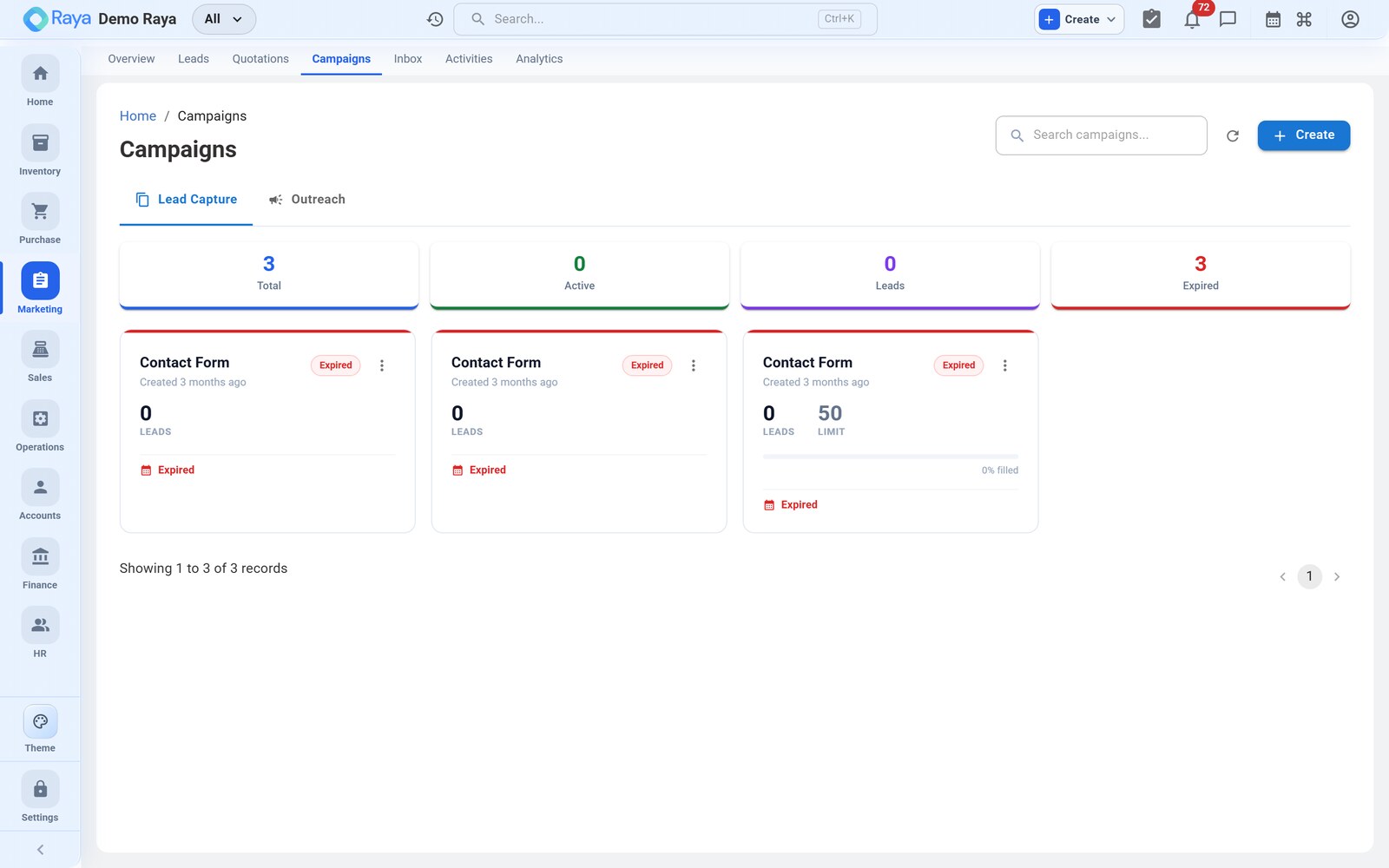
Worked example (used throughout): it's late October and you're running a festive-season push — the Diwali Packaging Offer 2026 — to your distributors and website leads, over WhatsApp and email, promoting a special slab rate on LDPE Film. This is often the nudge that makes a distributor like Meridian Supplies click through and fill in the lead form in the first place.
Build and send a campaign
Go to Marketing → Campaigns → + New Campaign and work down the four steps: channel, audience, message, gating.
How to fill it — step by step
-
Campaign name (internal) —
Diwali Packaging Offer 2026. -
Channel — choose Email, WhatsApp, or both. For the festive push, send on both so each recipient is reached where they're most responsive.
-
Audience — pick the segment of leads or contacts to target. Filter by source, pipeline stage, account category and the like:
Filter Value for the festive push Account category Distributor Lead source Website, Campaign Pipeline stage New, Qualified, On Hold (exclude Won/Lost) Region (optional) e.g. West Raya resolves the filter to a recipient count before you send.
-
Compose the message — start from a saved template or write your own. Branding (logo, colours) follows your organisation defaults. Personalise with the recipient's name and company.
-
Attach a product / offer — pin the LDPE Film festive slab rate to the message so the call-to-action is concrete. The message can link straight to your Get a Quote form, closing the loop from campaign → form → lead.
-
Apply engagement gating (see below) — keep it on.
-
Review and send. Each recipient's outreach is linked to their lead, and the campaign is stamped as that lead's source for attribution reporting.
:::tip Templated first-touch Save reusable email templates so a new lead receives a consistent, branded first-touch message automatically — no one retypes the welcome each time a form submission arrives. :::
Engagement gating
Bulk messaging respects consent and channel rules, so a campaign only reaches people it's allowed to — protecting deliverability and your sender reputation. Before each recipient is messaged, Raya checks:
| Gate | What it does | Example |
|---|---|---|
| Opt-in / consent | WhatsApp follows the WhatsApp Business messaging rules; recipients who haven't opted in are held back | A distributor who never opted in to WhatsApp gets the email only |
| Quiet hours | External messages are suppressed during a recipient's configured off-hours | A 9 PM send waits until the recipient's window reopens |
| Muted channels | Anyone who has muted a channel is skipped on that channel | A contact who muted WhatsApp is reached by email instead |
The pre-send summary shows how many recipients are eligible, and how many are held back and why — so a "500-recipient" send that gates down to 430 is expected, not a fault.
:::note Consent is per channel Gating is evaluated per channel, so the same person can be eligible on email and held on WhatsApp. Sending on both channels maximises reach while staying compliant, because each message is checked independently. :::
The two-way Inbox
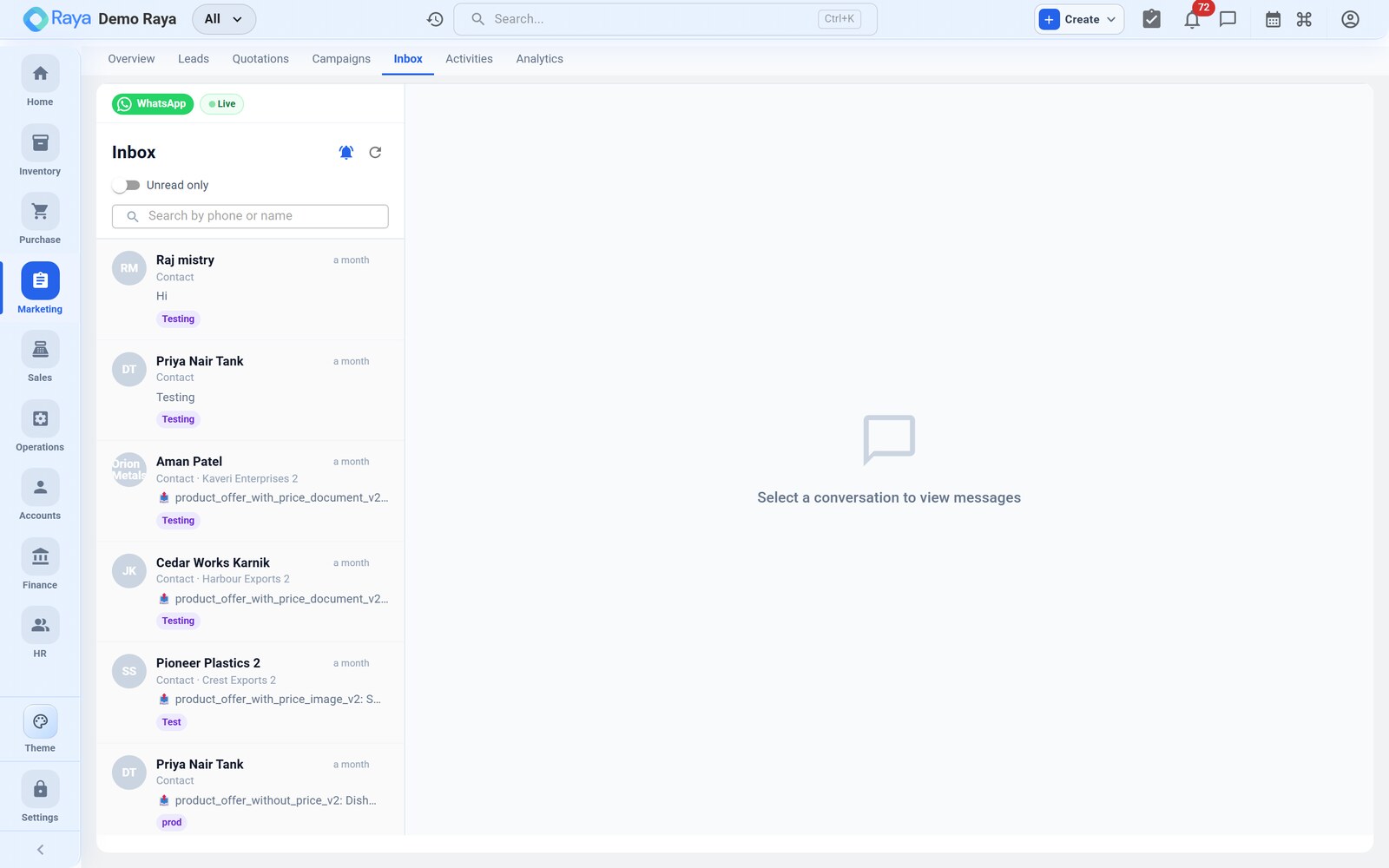
Replies to the festive campaign don't scatter across personal mailboxes — incoming email and WhatsApp responses land in a shared Inbox the whole team can work.
From a conversation the team can:
- read the full back-and-forth thread with each prospect in one place;
- reply directly, continuing on the same channel the prospect used;
- jump to the linked lead to log the outcome or schedule a follow-up.
In the worked example: Priya at Meridian replies to the WhatsApp offer — "Interested in 8 MT LDPE, what's your best rate?" That reply appears in the Inbox against Meridian's lead. The rep answers on WhatsApp, then opens the lead to log the enquiry and book the follow-up call — the same call where the ₹115/kg vs ₹120/kg negotiation is captured (see Activities & Calendar).
:::note Delivery channels & gauging engagement Email is sent as branded HTML via the email service; WhatsApp goes through the WhatsApp Business API. Each user's notification preferences and quiet hours apply to what they receive. Because email open/click tracking isn't available, gauge how a campaign landed from replies in the Inbox and from form submissions it drove — not from open rates. :::
From campaign to pipeline
A campaign's job is to feed the pipeline. Tie it together:
Diwali campaign  ──►  recipient clicks the form link  ──►  Get a Quote submission
      │                                                          │
      └────────── source = Campaign ───────────────────────►  new CRM lead (New)
Because the campaign is recorded as the lead's source, your source-attribution report can later show that the festive push produced Meridian's 8 MT enquiry — and how many others like it converted to Won.
Related
- Leads & Pipeline — where campaign-sourced leads land.
- Activities & Calendar — log the reply and the follow-up.
- Accounts — the contacts you message and reply to.
- Lead-to-Cash — the full lead-to-cash cycle.